Sunday, April 10, 2016

From Nah to OMG in 8 Days - The Evolution of Snapchat for EDU

Wait a minute... I need to scroll back through my Voxer feed.... Ok, that took WAY longer than expected because Edumatch is on fire, but here it is.

Snapchat Vox Zero*
@sarahdateacher Sarah Thomas
*As in patient zero.

Wednesday. March 30. 5 Seconds. Snapchat Revolution ....  well, for me at least. It turns out that Colleges and Universities have been using Snapchat to showcase student life and promote their brand for years.  Education bloggers have been writing about Snapchat's usefulness for quite some time, but, as Wired said so bluntly, 
"... [I]  couldn’t really figure out what Snapchat is supposed to be used for. And so [I] turned [my]back on Snapchat. [I] shrugged and thought Well, it’s for those damn Millennials...."
That was until Snapchat Vox Zero,  by Sarah Thomas, hit the Edumatch Voxer group.  I'll be honest, the transformation was not immediate. I did not download the app right way. I did not set up my account immediately.  I don't think of myself as a naysayer, but my first reaction was Nah! I couldn't really see an educational use for an app that is known for disappearing, silly and often inappropriate pictures.  Here's how I went from Nah! to OMG!   

Two hours later Cynthia Day forwarded a Vox by Daniel Bauer (aka alienearbud) describing educational applications of Snapchat. There seemed to be a reason to pay attention to this Voxer conversation.  On Voxer, we continued to discuss problems - It's blocked at school. What if we receive inappropriate Snaps from students? There was a serious security concern in the past. Legitimate concerns.

Later that day Sarah posted her Snap Ghost! I wanted one too.  A few hours later, she posted a Snapped video with a filter and a sticker.  Then there were filters with rainbows and zombies. Basically, she let us watch her learn how to use the app. Within 24 hours, I had my Snapchat account up so I could start exploring too.


It's awesome ==> Watch me play ==> Come play too

At some point, Toutoule Ntoya invented the phrase Snapchat Shenanigans* and we all just jumped in to play and learn the app. As the play ensued, ideas for using Snapchat in our classrooms, our buildings and our districts emerged; ideas that we couldn't imagine until we started using the app.

* Shenanigans is Toutoule's trademark word.

Eight days later, I am definitely at OMG about the possibilities. I've practiced making and downloading stories and I can't wait to use Snap Stories to share what's going on inside our schools and classrooms.  I've even submitted a Geofilter to Snapchat for approval. Then, this weekend, I had the opportunity to talk about Snapchat at EdCampSpark held at Discovery Place Studio in Charlotte, NC and the learning and ideas grew even more.  We have a Google Doc with our ideas here that you are welcome to add to or just read through for inspiration.


Wednesday, December 30, 2015

Use Google Drawing to Make a Meme

If you click the link to the Google Drawing Meme Template, you'll notice the example is setup as 700pxX700px which is a standard size for a square meme. These are the directions for using the template to create your own meme. The idea that I'm thinking about is to do this with teachers or students in January centered around creating a goals or reflections based meme for 2016.
Directions:
  1. Make a copy of the Drawing so you can edit it.
  2. Click on the middle of the image to select it and delete it.
  3. Insert your own image by clicking: Insert > Image and choose an image to upload or choose one from the internet.
  4. Move the picture to the back
    1. Select the picture, and right click.
    2. Choose Order > Send to back
  5. Re-size your image to fill the drawing canvas so there are no blank edges by grabbing the corners and re-sizing it.
    1. Make sure you don’t change the “aspect ratio” which means you don’t stretch it wider than you do tall.
    2. If you have to make it bigger than the canvas, that’s ok, we’ll crop in the next step.
  6. Crop your image
    1. Once it takes up the whole canvas, click on the crop tool and use the black handles to crop the picture to fit the canvas.  You should be able to see the canvas edges faintly behind the picture.
  7. Re-position your picture if needed.
    1. If necessary, re-position your picture on the canvas by:
      1. De-select it then hover over the picture to get the 4-sided arrow and move the picture around so that it is centered.
      2. You may need to select the picture and the crop tool to re-size it.
  8. Create your Meme Text
    1. Double click the Word Art text box at the top of the meme and type your text.  The example text fits the canvas. Use it as a guide.
      1. Make sure caps lock is on.
      2. Use Shift Enter for a new line.
      3. Use Enter to save.
      4. Repeat for the text at the bottom of the canvas.
  9. Share - Personal & Together
    1. Click File > Download as > .jpg.
      1. This should download the picture to your desktop or your downloads folder.
      2. Click on the arrow and select Show in folder to see where the file is located.
      3. Minimize that window. (Don’t close it.)
  10. Personal - Decide where you'd like to post your meme. Think about somewhere that you'll see often. For example, you could save it and set it as your school desktop background picture or your school computer screen saver.  
  11. Together - For our project - Click the link in our Google Classroom and add your meme to the Slide show.

Make Your Meme - 2016

Brian Sztabnik https://t.co/7unHh66ERC
www.Bestlessonseries.com by Brian Sztabnik
This morning, while browsing Twitter and trying to figure out #Edcampvoxer (last minute Lucy, I know!), I ran across this picture by Brian Sztabnik It falls into the category of inspirational and touching. And, I love the idea of stating what you want for your students and crystallizing it into a meme.  What a powerful process to go through.
(Follow Brian on Twitter: https://twitter.com/TalksWTeachers)

Memes are known best as those clever, sarcastic, funny, sometimes touching internet pictures that circulate around social media.  I love them. They make me laugh, inspire me or provide a springboard for a presentation.  

At the same time over Christmas break, I'm noticing that all my favorite Twitter chats are getting geared up for 2016 with some kind of goals setting oriented chat topics.


Light Bulb Moment
https://en.wikipedia.org/wiki/Phase-out_of_incandescent_light_bulbs
Light Bulb Moment
Why not do this for myself? Well, duh....  But, like I said, last minute Lucy....

Tips for creating memes for your 2016 goals...

1. Figure out what you want to say first.
I browsed meme generator sites to see what was out there and experimented with creating a couple memes, but I found the hardest part was deciding what text to type on my selected picture.  I discovered that my process required that I figure out my meme text first and go in search of a picture second.

2. On-Line Meme generators.
I Googled meme generators and found tons of options. From what I can tell, the benefit of using an online site is the built in formatting.  Memegenerator for example didn't require me to download anything and it has a diverse (but limited) library of meme images. Everything from Sad Keanu and Grumpy Cat to Star Wars and The Sound of Music.  Memeful allowed me to easily upload my own image and share it to Twitter or Facebook, but I decided to do a quick screenshot to save it to my pictures.  Imgflip allowed me to upload my own picture without creating an account and to easily download it to my computer.  Imgur gave me options to download, embed and link without creating an account too.  Makeameme didn't show me my meme when I clicked "private". It looks like I need to create an account, which I'm not interested in doing.  So, I kept looking to see if I could find one that saves directly to Google Drive.  ImageChef - no Google Drive. Quickmeme - wanted me to login with Facebook, so nope. 

Scroll, scroll, scroll.... hmmm.... Another thought occurs to me. We're all teachers, right? We might want to use this idea with students. It would be powerful to have students create a meme to express the theme or setting, what a character might say.... In science and math... But, none of the sites listed above is appropriate for students. Even without making an account, these sites have too much mature content.  What's a teacher to do?  

Make it in Google of course.  I experimented with Google Slides first, but it turns out the Impact font is T.H.E. meme font and it is really hard to duplicate in Google Slides. If you figure it out, let me know!  But, Google Drawing works really well. It has the Impact font and it has Word Art so you can add the classic meme black outline. 

Here's a link to a template with directions that you can use if you'd like to try it.

Monday, December 21, 2015

Teaching the Same Old Thing in a Whole New Way

Tonight's #flipclass flashblog is about teaching the same old thing in a whole new way. I have a lot of activities that I L.O.V.E. to do. That kids love to do and that seem to hit the standards very well. But, I've never been able to repeat the same things over and over every year. Even the best activities are boring!  Cell division is a good example.  It has been part of middle school science in one way or another for the 14 years that I've been teaching and the details don't really change.  Mitosis is mitosis.  Every year, I try to change things to keep it fresh for both me and the students.  Most years students create a mnemonic device to remember the steps of mitosis. One year we did the yarn activity. Another year we used Twizzlers. We've looked at onion root tips under the microscope. We've watched really cool and amazing videos of cells dividing. 14 years is a lot of mitosis activities. One year, I remember watching a video from Cells Alive and thinking it's like a dance.  There it was. Let's see if we can create a dance for cell division.  I provided the students with some supplies:

  • Different colored T-shirts to color code themselves as sister chromatids.
  • Segments of rope in different colors to represent different membranes.
  • Carabeeners and long ropes to represent spindle fibers and centromeres.
  • Various signs
Students divided into groups based on their roles and created their movements. We commandeered the school lobby so we'd have space to practice. And, we had a ton of fun.

Tuesday, August 11, 2015

Twitter Resources for Educators

I introduced Twitter to a small group of educators at our Summer Professional Development week.  Twitter is an awesome resource and I could have talked and shared for way longer than the hour and a half allotted to me. The people who were there were probably glad I had only an hour and half - I sensed a lot of willingness, but Twitter for Educators is a little overwhelming at first.  This post provides the resources I presented during the workshop and other great stuff from my Twitter PLN.  I'd love it if you'd share your resources and thoughts in the comments to make this a dynamic, growing page.

Resource 1 (drum roll)  Jerry Blumenthal's Cybraryman Website and Twitter Guide


Of course this one is first!  Don't be put off by the plain design of Jerry's site. It is full of information and is T.H.E. place to go for a complete list of educational hashtags and Twitter chat times and dates.

Resource 2 Using Twitter to Build Your Personal Learning Network (PLN)


@rocklandryan  created and shared this presentation and it is a fantastic overview of the nuts and bolts of using Twitter for the first time and for building a PLN.  I've added resources and links through out.

I hope you decide to jump into a Twitter chat soon.  If you do, let me know and I'll try to jump online with you.  Happy Tweeting! Follow me @braveneutrino.  For more on my Twitter journey, read Home Grown and Weed Free.

Friday, June 19, 2015

Cell Phones are Distracting, and....

I've seen the headline "Kids do a lot better when schools ban cell phones" and the Facebook likes and the laments to "put that thing down and go outside and play".    I can see the huge potential for distraction that cell phones pose in the classroom with their constant buzzing, vibrating and beeping.  There's the Pavlovian response to check it. And, kids these days (and adults too) are conditioned to pull out their phones to record everything with a picture, a text or a post.  What possible educational purpose could these devices possibly serve?

The study, as presented in the CNN article, by researchers Richard Murphy and Louis-Philippe Beland, focused on the distraction potential of cell phones.  It's not clear that the researchers differentiated between schools or teachers who had an academically oriented BYOD policy and those who threw cell phones into the classroom distraction be damned.

I think the article is right and wrong at the same time. I think the effect on student achievement of anything, whether it’s technology, a new program or a textbook, lies entirely in its implementation. I think a smart phone is nothing more than a computer that a student owns and has, potentially, constant access to. I think students don’t know how to use technology for academic purposes and especially don’t know how to use technology for anything beyond canned practice and assessment programs. I think students need to be taught how to use their devices for rich academic purposes. I think that texting, snapchatting, etc. during class is the digital equivalent to passing notes and that we need to have effective discipline strategies that focus on the behavior not the device. I think smartphones in the classroom is in its infancy and we are gradually developing ways to harness the power of these tiny, always up to date, ubiquitous computers that everyone has in their pockets. I wonder why anyone would consider banning them and in the next breath spend thousands of dollars on computers.

Since I think all these things, I looked up the authors, read the original study here: http://cep.lse.ac.uk/pubs/download/dp1350.pdf

Among many other things, the authors state that

“The existing literature on the impact of technology in the classroom implies that the unstructured presence of technology has ambiguous impacts on student achievement. We add to this by illustrating that a highly multipurpose technology, such as mobile phones, can have a negative impact on productivity through distraction.”


The key is in how teachers implement the access to these “highly multipurpose” devices. If they’re just going to be buzzing in their pockets, then they’ll be a distraction and should, sadly, remain banned. However, teachers can work together on manageable ways to use devices in class to improve instruction and student achievement instead of relying on a ban to remove distractions and increase the attention and motivation of students to learn traditionally taught content.

Thursday, July 10, 2014

Homegrown and Weed Free. Developing My PLN

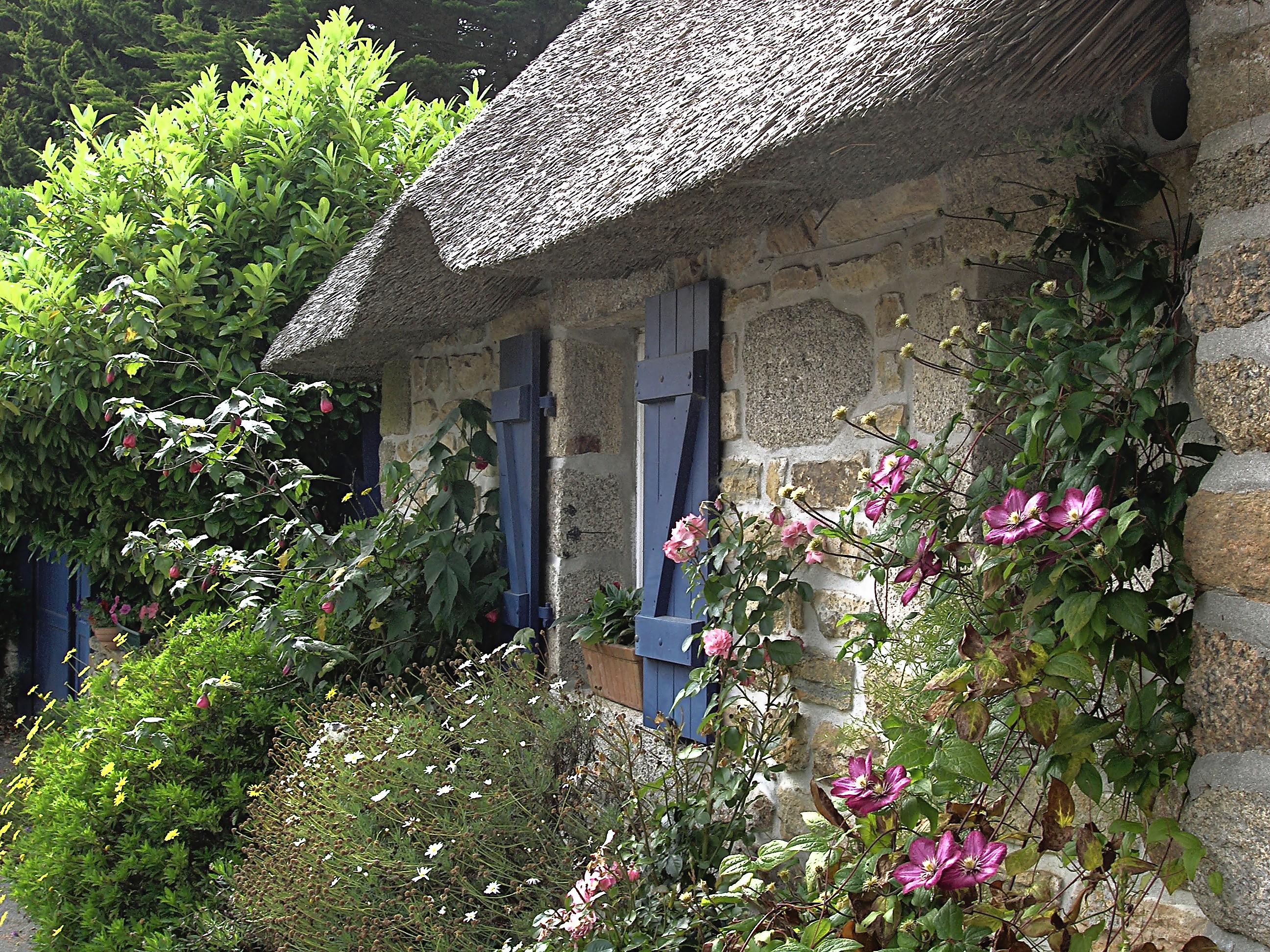
Cottage Garden: https://en.wikipedia.org/wiki/Cottage_garden
Patrick O’Shea challenged our Utilizing Networking and Communications Technologies for Learning class to develop a plan for growing our Professional Learning Network (#PLN).  For me, this represented a significant departure from the way my PLN has grown.  If my PLN was a garden, (shout out to David Warlick) then it would definitely be free form, a little messy and in need of a bit of weeding.

The heart and soul of my PLN is on Twitter. I follow amazing, inspirational educators and I participate in educational twitter chats.

“ When I search the web for answers to a question, and connect to people and their question-answering conversations, a temporary network of people is formed based on ideas. We connect NOT because of the chat room I have chosen to enter or the Listserv I've decided to join. We connect because of the ideas we are exploring and the conversations that spring from other people who are interested in those ideas. We link based on conversation, regardless of proximity. This is new. It represents new rules. It is a new information environment that can be understood and cultivated – that can be gardened for learning.”  

Warlick, David (2012-11-30). Cultivating Your Personal Learning Network (Kindle Locations 332-334). The Landmark Project. Kindle Edition.
This quote from David Warlick’s book describes the fluid nature of a Twitter PLN and is exactly my experience. The only thing I would disagree about is the statement that it is new. I feel that I “link” or connect with authors while I’m reading. I hear their voice as I read and I comment back in the margins or in my mind as I read.  This connection doesn't depend on proximity and is formed based on mutual interest. What is new is the dynamic nature of the connections. The ability to give and receive feedback in real time makes my Twitter PLN different from anything else I’ve experienced professionally.

I described my Twitter Journey here, Twitter! What is it Good For?  Suffice to say, following educators is important. Sort of like collecting all those seed catalogs that start arriving in January. Reading tweets is interesting and inspiring, like wandering through the garden center - so many choices. But, the key is forming relationships with other educators.  When it comes down to it, learning happens between people who have a relationship or connection. Tweet (contribute) But, don’t forget to Tweet back (connect). So, I've brought home the geraniums, tomatoes, strawberries and brussel sprouts. What's next?
Keeping track of everything using the basic Twitter interface was impossible for me, so I started using Hootsuite.  A screenshot of my set up is below. I have a tab for each day of the week. Inside a tab, I have sub tabs for the twitter chats that I follow.  Hootsuite.jpg

At first, I stumbled upon educators, hashtags and chats at random. The only thing
Roadside Flowers - Mountain View, NC
they had in common was that they were related to education and not cooking, gardening, pop culture, politics or any of the other million things people tweet about.  My early PLN garden probably resembled more of a stretch of roadside where flowers, berry brambles and ivy all fight for space. Not a cottage garden. Not quite yet.

One day I stumbled upon a tweet by Jerry Blumengarten aka Cybraryman and his mission to “catalog the internet”. He has a page for everything education-oriented.  Really. Everything. His comprehensive list of educational hashtags and chats developed by @thomascmurray @cevans5095 opened the door to the world of educational chats.

 I use Hootsuite to keep track of my Twitter PLN.  As my professional interests have changed, Twitter has changed with me. It helps me see the flowers in that wild roadside.
Roadside Flowers - Collection


At first, I focused on flipped classroom resources, expertise and strategies.  That led me to student centered learning and standards based grading. I started following the #sbgchat (now #sblchat) and Rick Wormeli . I heard about the book Teach Like a Pirate on Twitter last summer because I was following Dave Burgess . It was fun to be in the inaugural #tlap chat.  Motivation and brain science - Carol Dweck and #mindset. Gamification and 3D printing - @mrdpasion and @nathan_stevens. Project/Problem based learning - #pblchat.  I've just learned that I’ll be changing roles next year from science teacher to technology facilitator. The first thing I did was research twitter for the hashtags and people to follow. My goal for my PLN is to keep changing and growing the people that I learn from.

I remember a Twitter conversation about being a lurker, #LurkandLearn. On one side, my PLN argued that lurkers needed to be pushed to participate and if they didn't they weren't really learning or that their value was somehow less.  I believe that many, maybe most, of us start out as lurkers. Like our students, many of us don’t feel comfortable speaking up in a crowd unless we’re sure it’s safe. The thing that transformed me from a lurker to a participator was interaction with the people behind the tweets.  When real people interacted with me, they started to break down that barrier and make it possible for me to participate.

My absolute favorite Twitter chat is #flipclass. And here’s the reason. It’s co-moderated by Cheryl Morris and Andrew Thomason and they either intentionally or unintentionally play different roles during the chat. Cheryl tweets out the questions and keeps the conversation moving. Andrew participates in that way too, but he also greets participants, makes newbies feel welcome and makes everyone feel … noticed.  How he does it is beyond me. It’s a talent and it turns lurkers into active participants in the community.

I currently follow 781 people or organizations and the vast majority of them have remained acquaintances.  I value them for the awesome, knowledgeable, passionate, inspiring educators they are and for what they let me do - crowdsource my educational quandaries, get inspired during the long dark days of February in middle school.  I can drive down the road, so to speak, and see the flowers any time I need to.

Some of those acquaintances have turned into friends and I’ve gotten to meet some in real life, #IRL. It’s a phenomenon that surprises me all the time.
Friends who help me learn? #betterTogether


Cheryl Morris @guster4lovers


Flipping as a proxy for student centered learning. Creativity. New stuff.


Andrew Thomasson @thomasson_engl


Flipping as a proxy for student centered learning. Creativity. New stuff.


Audrey McLaren @a_mcsquared


Virtual learning. All things math.


Rick Wormeli @RickWormeli


Standards based grading


Darin Jolly @drjolly


Standards based grading (#sblchat)


Dayson Pasion @mrdpasion


Gamification


Brian Bennett @bennettscience


Nuts and bolts of flipping, flip videos and camtasia studio. My gateway from #lurkandlearn to connecting.


Sam Patue @sampatue


Puppets. (#patuechat)


Gary Strickland @sciAggie


Flipping science class. Student centered learning.


Crystal Kirch @crystalkirch


Flipping math class


So, this is my garden right  now. A little unruly. Unconventional. Passionate and Inspired.
Homegrown.... and weed free.